---
title: Alphabetized Departments, Positions, and Drop-downs in Settings and Job Creation
description: Finding what you need in settings and job setup just got faster.
image: https://insights.joinflo.com/hubfs/alphabetized-banner-v2.png
---
[Skip to content](https://insights.joinflo.com/product-updates/alphabetized-departments-positions-and-drop-downs-in-settings-and-job-creation#main-content)
[.png?width=65&height=65&name=Frame%201%20(5).png "Flo logo")](https://www.joinflo.com/products/product-updates)
- [Sign In](https://www.joinflo.com/sign-in-to-flo)
- [Let's Talk](https://www.joinflo.com/request-demo)
# Alphabetized Departments, Positions, and Drop-downs in Settings and Job Creation

[Katherine Allen October 2, 2026](https://insights.joinflo.com/product-updates/author/katherine-allen)
- [Product Updates](https://insights.joinflo.com/product-updates/tag/product-updates)
- 1 mins
Flo moves quickly, and a lot of that speed shows up in the small, precise improvements that make everyday workflows easier. This one is about making it faster to find what you're looking for inside Flo Applicant Tracking, without having to scan through unordered lists.
## **The challenge**
When departments and positions appeared in no predictable order, finding a specific entry in a long list meant reading through everything rather than scanning to where it should be. The same applied to several drop-downs on the job creation page, where Position Type, Department, Office, Employment Type, and Hiring Lead were all presented without alphabetical order.
## **What we launched**
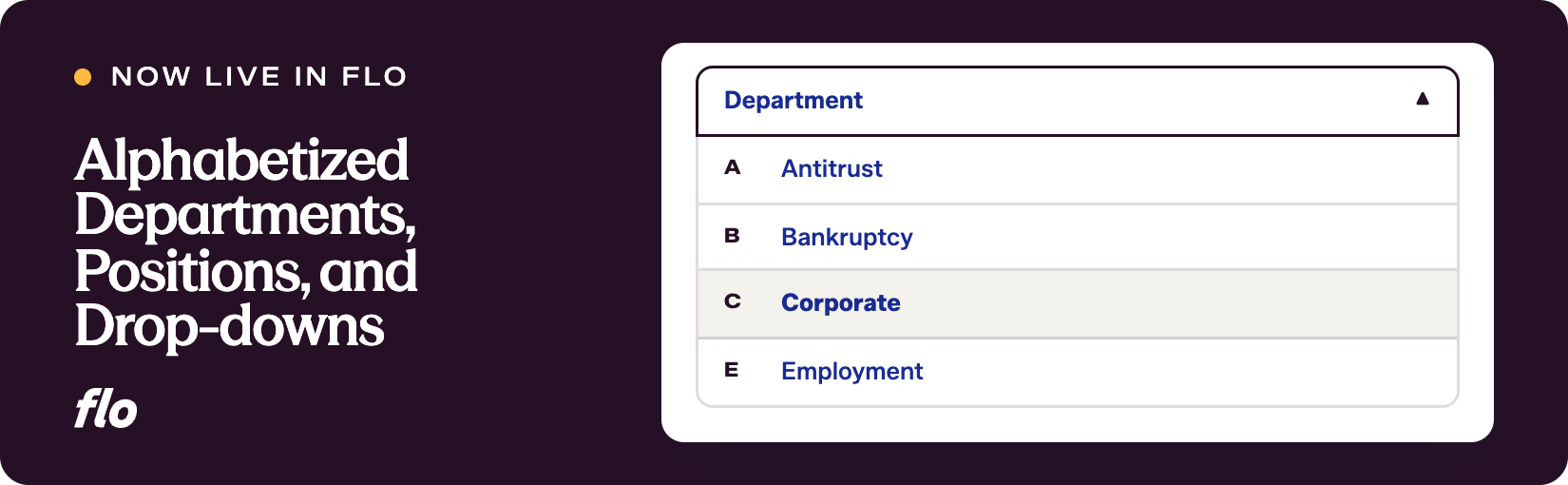
Departments and positions on the settings page are now sorted alphabetically. Scanning or confirming an entry is straightforward because everything is exactly where you'd expect it to be.
The same alphabetical sorting now applies to several drop-downs on the job creation page:
- Position Type
- Department
- Office
- Employment Type
- Hiring Lead (sorted alphabetically by last name)
## **Why it matters**
For recruiting teams managing a large number of departments, offices, or hiring leads, alphabetical order removes the guesswork. Whether you're configuring settings or setting up a new role, you spend less time hunting and more time on the work itself.
It's a small structural change, but it makes the experience more consistent and predictable across the board.
We'll keep refining these details as we hear what else would make the day-to-day feel more intuitive. If something in your workflow still feels off, let us know what you'd like to see next.
Want to see our latest updates in action? [Book a demo](https://www.joinflo.com/request-demo) and we'll walk you through them.

### Katherine Allen
Katherine Allen is the Co-Founder and CEO of Flo. Katherine is passionate about building solutions for the legal industry in collaboration with Flo’s clients, proudly partnering with 200+ law firm and law school CSOs across the U.S. and serving 10,000+ law students on Flo Recruit Forward.
[.png?width=80&height=51&name=Vector%20(1).png "Vector (1)")](http://joinflo.com)
Flo connects law firms, attorneys, agencies, and law schools — with software solutions for recruiting and performance management.
###### SOLUTIONS
- [For Law Firms](https://www.joinflo.com/solutions/law-firms)
- [For Law Schools](https://www.joinflo.com/solutions/law-schools)
- [For Students & Attorneys](https://www.joinflo.com/solutions/students-and-attorneys)
- [For Search Firms](https://www.joinflo.com/solutions/search-firms)
###### RESOURCES
- [Market Insights](https://www.joinflo.com/resources/market-insights)
- [Legal Recruiting Tracker](https://www.joinflo.com/resources/legal-recruiting-tracker)
- [Webinars & Events](https://www.joinflo.com/resources/webinars-events)
- [Case Studies](https://www.joinflo.com/resources/case-studies)
###### COMPANY
- [About](https://www.joinflo.com/company/about-flo)
- [Careers](https://www.joinflo.com/company/careers)
- [Request Demo](https://www.joinflo.com/request-demo)
- [Contact Us](https://www.joinflo.com/company/contact-us)
- [Developer Docs ↗](https://docs.joinflo.com/)
- [Help Center ↗](https://help.florecruit.com/en/)
```json
{
"@context" : "https://schema.org",
"@type" : "BlogPosting",
"author" : {
"@type" : "Person",
"name" : "Katherine Allen",
"url" : "https://insights.joinflo.com/product-updates/author/katherine-allen"
},
"dateModified" : "2026-10-02T21:54:55.934Z",
"datePublished" : "2026-10-02T21:50:19.000Z",
"headline" : "Alphabetized Departments, Positions, and Drop-downs in Settings and Job Creation",
"image" : [ "https://insights.joinflo.com/hubfs/alphabetized-banner-v2.png" ],
"mainEntityOfPage" : {
"@id" : "https://insights.joinflo.com/product-updates/alphabetized-departments-positions-and-drop-downs-in-settings-and-job-creation",
"@type" : "WebPage"
},
"publisher" : {
"@type" : "Organization",
"logo" : {
"@type" : "ImageObject",
"url" : "https://insights.joinflo.com/hubfs/Frame%201%20(5).png"
},
"name" : "Flo"
}
}
```