.png?width=65&height=65&name=Frame%201%20(5).png "Flo logo")

- Performance Management
- 4 mins
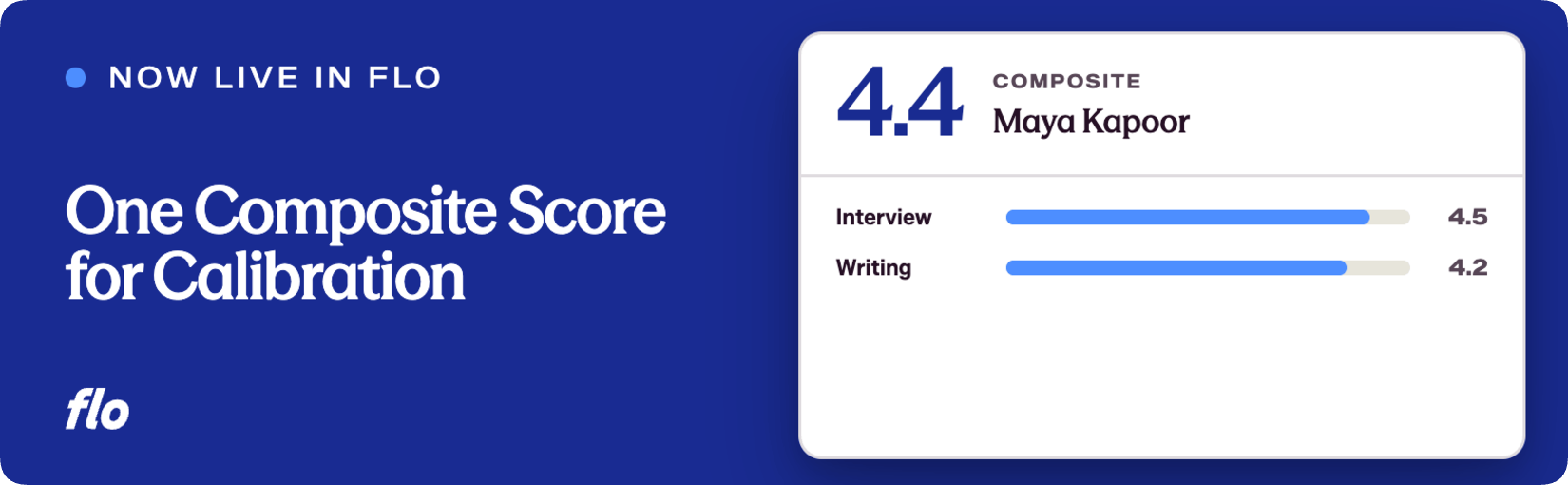
A single, normalized score across all reviewer evaluations, built for calibration exercises.
Flo is the fastest shipping company in the legal talent industry, and this release is a good example of why that matters: when Professional Development and HR teams told us that cross-reviewer scoring data was too fragmented to act on quickly, we built a solution and shipped it.
The problem
Review cycles produce a lot of rating data. Across different reviewers, different evaluation forms, and different rating scales, getting to a single, meaningful picture of how a lawyer performed required exporting raw scores and averaging them manually in a spreadsheet. That was slow, error-prone, and not the kind of work PD professionals should be doing the night before calibration meetings.
We kept hearing the same thing from teams running annual and mid-year review cycles: the data was in the platform, but turning it into something usable for a calibration or compensation conversation meant leaving the platform entirely. That is the gap this feature closes.
What we shipped
Composite Score is a single, normalized average of all rating-scale question responses a reviewee has received across every reviewer and evaluation form in a review cycle. It appears in four places:
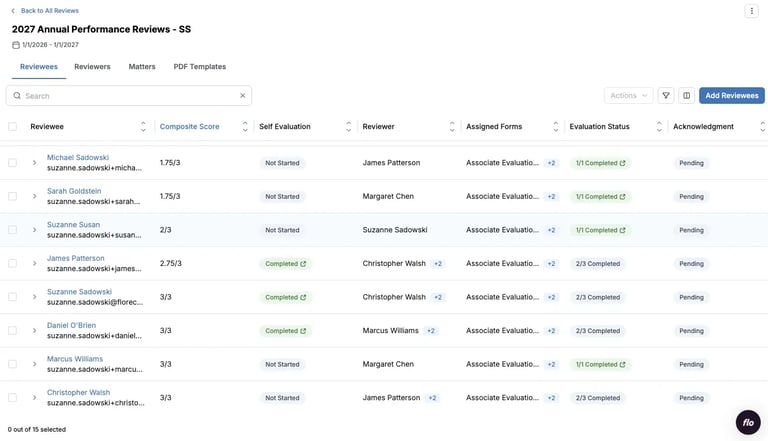
- Reviewee table. A sortable Composite Score column lets Professional Development and HR teams rank-order reviewees at a glance, without touching a spreadsheet.
- Reviewee slideout. The score appears alongside the rest of a reviewee's profile information for quick reference.
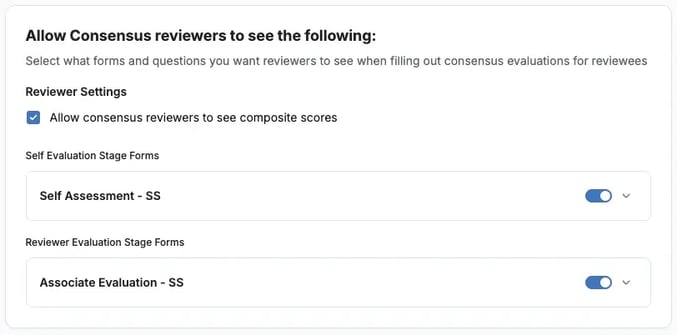
- Review cycle setup. When configuring a consensus review stage, admins can choose whether consensus reviewers see the composite score in their slideout while completing their form.
- PDF templates. Admins can now include composite score in two places in a PDF export: in the cover page header for each reviewee, and as an additional column in the summary table.
A few things worth knowing about how the score is calculated: only rating-scale questions count. Text, yes/no, and multi-select questions are excluded. N/A responses and blank submissions are not counted as zero; they are simply excluded. If a reviewee received no ratings on a question, that question does not factor into their composite at all. Self-evaluations and consensus stage responses are also excluded; the composite reflects reviewer evaluations only.
Composite scores are admin-facing by default. Reviewees do not see them, even when evaluations are released. The only exception is consensus reviewers, and only when an admin has explicitly turned on that visibility during cycle setup.
Why it matters
For teams running calibration discussions across large associate or counsel classes, the composite score removes a step that should never have existed. The data is in the platform; now the summary is too.
Sorting the reviewee table by composite score during a calibration session means the conversation can start immediately, based on the same number everyone in the room is looking at. No version-control issues, no formula errors, no one asking which export is current.
For firms that share PDF packets with partners or committee members, the ability to include composite score in those exports means recipients get a complete picture without needing platform access.
Composite Score is the start of a broader effort to make calibration workflows feel native to the platform rather than something that spills out into spreadsheets. If there are other places you are still exporting data to answer a question that should be answerable inside Flo, keep telling us where the friction is.
If you're a Flo client and want to dig in, or you're new to Flo and curious how it works, book a demo and we'll walk you through it.