.png?width=65&height=65&name=Frame%201%20(5).png "Flo logo")

- Product Updates
- 2 mins
At Flo, improving the product is a continuous process, and the updates that matter most often come from working through real workflows alongside our clients. This one is about control: specifically, giving Professional Development and HR teams the ability to decide precisely which profile information crosses team boundaries, and which stays within the team that owns it.
The challenge
For firms that use both Flo Performance Management and Flo Applicant Tracking, every attorney and business professional has a single User Profile shared across both products. Performance information, review notes, development plan documents, and sensitive custom fields all live on the same profile that recruiting admins will eventually be able to access.
What we launched
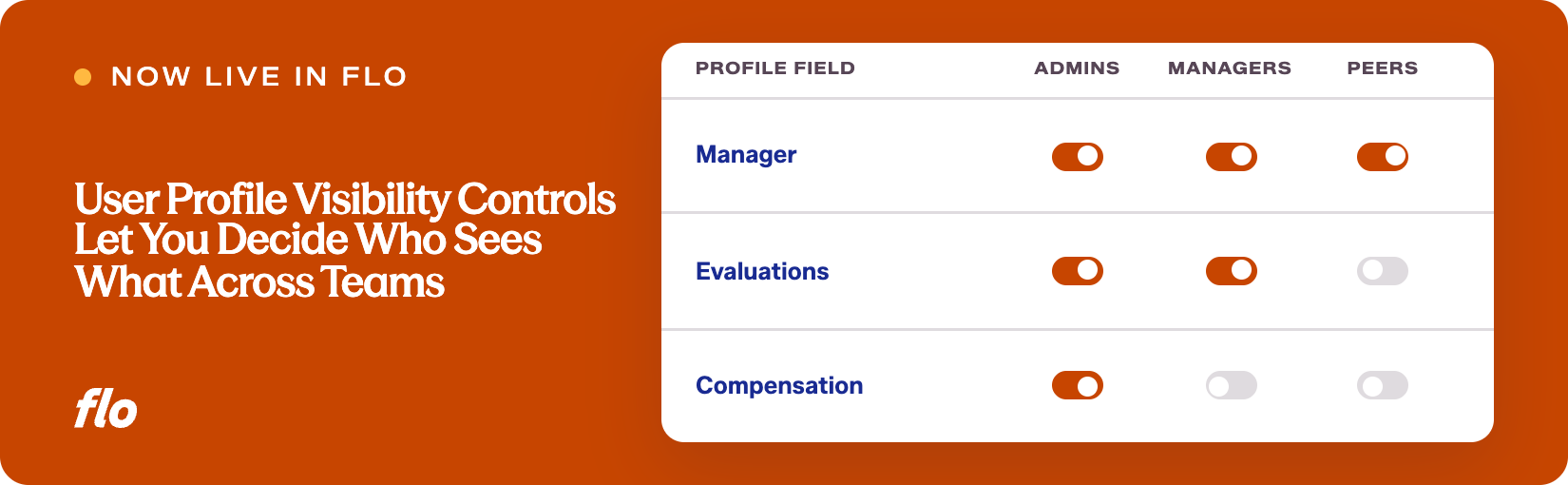
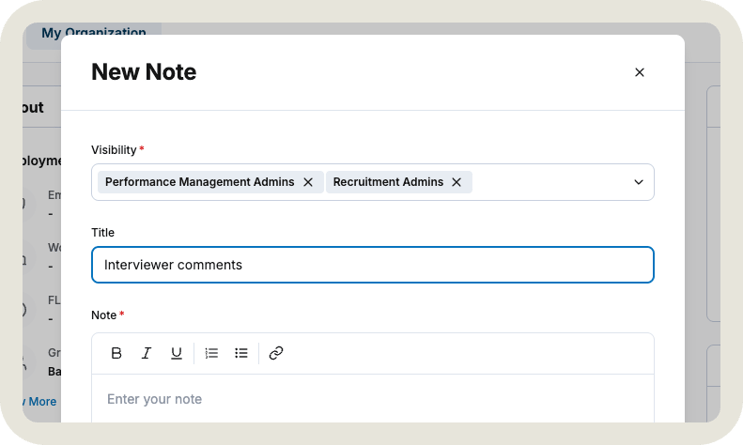
Admins can now set visibility on each Note, Document, and Custom Field on the User Profile. The options are Performance Management Admins, Recruitment Admins, or both.
For Notes and Documents, a Visibility selector appears when you create or edit a note (in the quick-create modal and on the View All page) and when you upload or edit a document. A few rules keep the system consistent:
- Your own admin role is checked by default. If you hold both roles, both are checked.
- At least one role must be selected, and you cannot save a note or document that hides it from yourself.
- A note's visibility is displayed when you read it, so there is no guessing about who can see what.
For Custom Fields, visibility is set once per field in My Organization, Settings, Custom Fields, and it applies to every profile. A field hidden from your role does not appear on any User Profile for you, and the Settings page lists all custom fields in the organization along with their visibility, so admins always have a complete picture even for fields they cannot edit.
Everything that existed on profiles before this release is visible to Performance Management Admins only, exactly as it was. Nothing was opened up automatically.
Why it matters
Performance information is among the most sensitive data a firm manages. A note from a difficult review conversation or a document tied to an attorney's development plan should not automatically be visible to every admin across every product. This update lets the team that owns that information decide who sees it, on an item-by-item basis.
At firms where recruiting admins and PD admins are different people, this means each team can share what both sides genuinely need, like a custom field tracking practice group or a document the whole admin team references, while keeping everything else within the team it belongs to. At firms where one person holds both roles, nothing changes day to day. Both options are checked by default, so that admin sees everything they add without any extra steps.
The Recruitment Admin visibility setting also works as forward-looking configuration. The User Profile is not yet active on the recruiting side of Flo, so selecting Recruitment Admins today does not immediately grant access. When the profile does become available in Flo Applicant Tracking, the visibility you have already set will carry over without any reconfiguration.
Getting the visibility model right now means firms are already set up for the moment the User Profile connects across both products. If you have feedback on how these controls work in practice, or what you would like to see next on the profile, let us know.
Want to see our latest updates in action? Book a demo and we'll walk you through them.