---
title: "Visibility Settings: Control Exactly What Reviewers and Reviewees See"
description: Enhance your performance review process with new visibility settings, allowing admins to control what reviewers and reviewees see, ensuring sensitive information is protected.
image: https://insights.joinflo.com/hubfs/visibility-banner.png
---
[Skip to content](https://insights.joinflo.com/product-updates/visibility-settings-control-exactly-what-reviewers-and-reviewees-see#main-content)
[.png?width=65&height=65&name=Frame%201%20(5).png "Flo logo")](https://www.joinflo.com/products/product-updates)
- [Sign In](https://www.joinflo.com/sign-in-to-flo)
- [Let's Talk](https://www.joinflo.com/request-demo)
# Visibility Settings: Control Exactly What Reviewers and Reviewees See

[Katherine Allen May 17, 2026](https://insights.joinflo.com/product-updates/author/katherine-allen)
- [Performance Management](https://insights.joinflo.com/product-updates/tag/performance-management)
- 3 mins
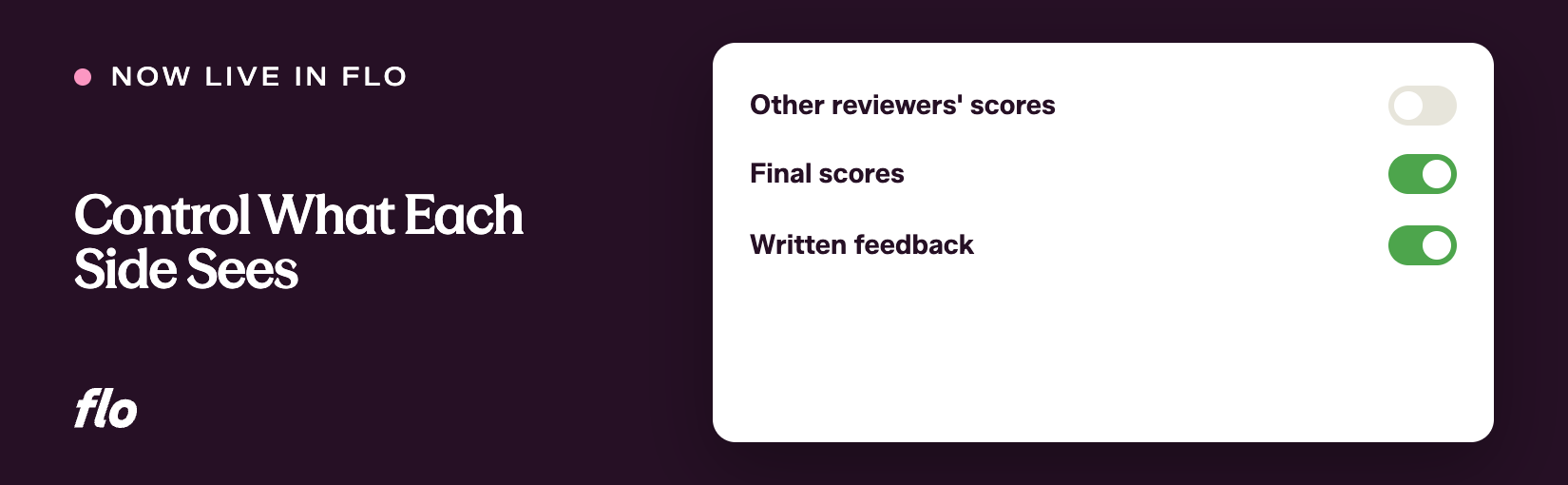
Performance reviews carry sensitive information, and the question of who sees what has always required careful thought. Flo has been the fastest shipping company in the legal talent industry not by guessing at that question, but by building the tools that let your team answer it on your own terms. This release adds two new visibility configuration steps to the review cycle setup process, giving admins the control they've been asking for.
## **The problem**
Before this release, what reviewers could see from a reviewee's self-evaluation, and what reviewees could see when their feedback was shared with them, were not things admins could configure in a structured way. Sensitive questions, rating scores, and reviewer identities required workarounds or external coordination to manage. The setup process didn't reflect how much care firms actually put into these decisions.
We kept hearing that the lack of granular visibility controls created real risk. An admin might share more than intended, or hold back information that employees actually needed, because the only options were all-or-nothing.
## **What we shipped**
The review cycle setup process now includes two dedicated steps for visibility configuration.
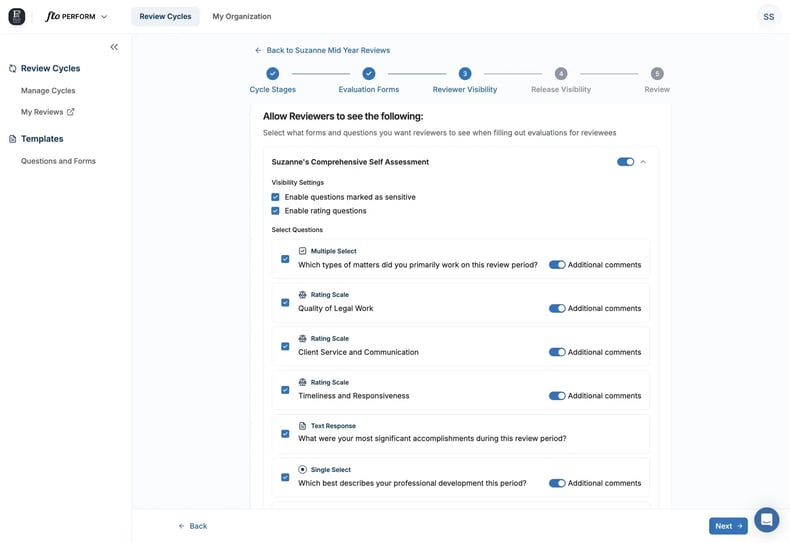
Reviewer Visibility (Step 3) controls what reviewers can see from the reviewee's self-evaluation while they are filling out their own evaluations. Admins select specific questions from any stage form to surface to reviewers. By default, rating questions and sensitive questions are turned off to prevent accidental exposure. Admins can explicitly enable those question types if they want them available for selection.
Release Visibility (Step 4) controls what reviewees see when their evaluations are released to them. Admins select which reviewer evaluation forms to include and which specific questions within each form are surfaced. All forms are off by default, and the "Make reviewers anonymous" setting is checked by default when enabling a form, giving reviewer identity an extra layer of protection. As with Reviewer Visibility, rating and sensitive questions are disabled by default and must be explicitly enabled.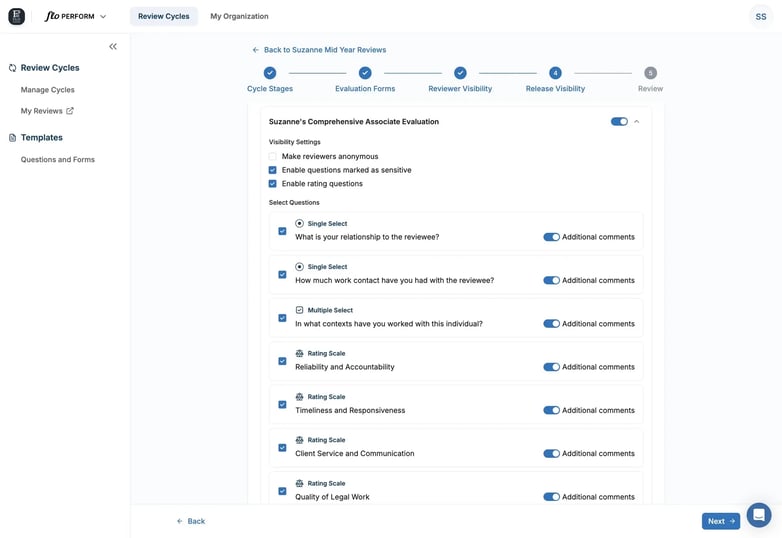
In the above example, Suzanne's Comprehensive Associate Evalaution is the name of an evaluation form used for a cohort of reviewees, for example, the review form for mid-level associates. Once configured, the settings apply consistently whether evaluations are released on a schedule or released manually, so there's no risk of the settings drifting between release methods.
## **Why it matters**
Admins no longer have to choose between sharing everything or sharing nothing. The review experience can now be shaped to reflect what your firm actually decided in the room: which questions are appropriate for reviewers to reference, which feedback is appropriate for reviewees to receive, and whether reviewer identities are part of that picture.
Sensitive information is protected by default. That's not a setting you have to remember to turn off. It's the starting point, and you opt in from there. That design reflects how seriously these decisions should be treated.
Visibility configuration is one of those areas where the details matter enormously, and we know we're not done. If something about these controls doesn't map to how your firm thinks about this, tell us. This gets better the more you push back on it.
If you're a Flo client and want to dig in, or you're new to Flo and curious how it works, [book a demo](https://www.joinflo.com/request-demo) and we'll walk you through it.

### Katherine Allen
Katherine Allen is the Co-Founder and CEO of Flo. Katherine is passionate about building solutions for the legal industry in collaboration with Flo’s clients, proudly partnering with 200+ law firm and law school CSOs across the U.S. and serving 10,000+ law students on Flo Recruit Forward.
[.png?width=80&height=51&name=Vector%20(1).png "Vector (1)")](http://joinflo.com)
Flo connects law firms, attorneys, agencies, and law schools — with software solutions for recruiting and performance management.
###### SOLUTIONS
- [For Law Firms](https://www.joinflo.com/solutions/law-firms)
- [For Law Schools](https://www.joinflo.com/solutions/law-schools)
- [For Students & Attorneys](https://www.joinflo.com/solutions/students-and-attorneys)
- [For Search Firms](https://www.joinflo.com/solutions/search-firms)
###### RESOURCES
- [Market Insights](https://www.joinflo.com/resources/market-insights)
- [Legal Recruiting Tracker](https://www.joinflo.com/resources/legal-recruiting-tracker)
- [Webinars & Events](https://www.joinflo.com/resources/webinars-events)
- [Case Studies](https://www.joinflo.com/resources/case-studies)
###### COMPANY
- [About](https://www.joinflo.com/company/about-flo)
- [Careers](https://www.joinflo.com/company/careers)
- [Request Demo](https://www.joinflo.com/request-demo)
- [Contact Us](https://www.joinflo.com/company/contact-us)
- [Developer Docs ↗](https://docs.joinflo.com/)
- [Help Center ↗](https://help.florecruit.com/en/)
```json
{
"@context" : "https://schema.org",
"@type" : "BlogPosting",
"author" : {
"@type" : "Person",
"name" : "Katherine Allen",
"url" : "https://insights.joinflo.com/product-updates/author/katherine-allen"
},
"dateModified" : "2026-09-13T14:05:07.023Z",
"datePublished" : "2026-05-17T02:11:31.000Z",
"headline" : "Visibility Settings: Control Exactly What Reviewers and Reviewees See",
"image" : [ "https://insights.joinflo.com/hubfs/visibility-banner.png" ],
"mainEntityOfPage" : {
"@id" : "https://insights.joinflo.com/product-updates/visibility-settings-control-exactly-what-reviewers-and-reviewees-see",
"@type" : "WebPage"
},
"publisher" : {
"@type" : "Organization",
"logo" : {
"@type" : "ImageObject",
"url" : "https://insights.joinflo.com/hubfs/Frame%201%20(5).png"
},
"name" : "Flo"
}
}
```