---
title: Work Allocation Tables Are Now Filterable, Sortable, and Configurable
description: Your work allocation data, arranged the way you actually need it.
image: https://insights.joinflo.com/hubfs/alloc-banner-rounded.png
---
[Skip to content](https://insights.joinflo.com/product-updates/work-allocation-tables-are-now-filterable-sortable-and-configurable#main-content)
[.png?width=65&height=65&name=Frame%201%20(5).png "Flo logo")](https://www.joinflo.com/products/product-updates)
- [Sign In](https://www.joinflo.com/sign-in-to-flo)
- [Let's Talk](https://www.joinflo.com/request-demo)
# Work Allocation Tables Are Now Filterable, Sortable, and Configurable

[Katherine Allen May 20, 2026](https://insights.joinflo.com/product-updates/author/katherine-allen)
- [Law Firms](https://insights.joinflo.com/product-updates/tag/law-firms)
- 2 mins
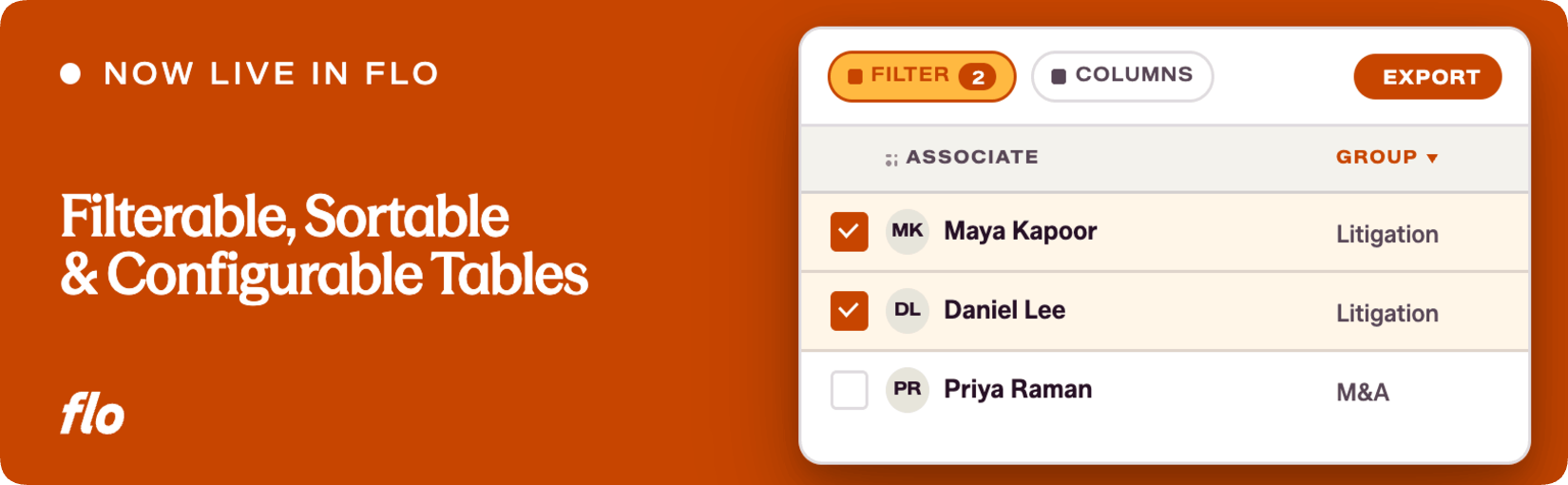
Getting useful information out of a table shouldn't require exporting everything and cleaning it up in a spreadsheet. That workaround is common, and it signals a gap in the tool. Flo is the fastest product update shipping company in the legal talent industry, and closing that kind of gap is what we do. Work Allocation tables have been rebuilt with the controls recruiting teams have been asking for: column configuration, stacked filtering, drag-and-drop ordering, and targeted CSV export.
## **The problem**
The previous Work Allocation tables were functional but rigid. You could see the data, but you couldn't easily shape what you were looking at. Columns were fixed. Filtering wasn't available. If you needed a specific slice of information, for a particular program, practice group, or time period, your best option was to export everything and do the work manually outside the system.
We heard this consistently from recruiting teams who use Work Allocation to manage associate programs and staffing. The information was there; the tools to work with it weren't.
## **What we shipped**
The Work Allocation Programs page has been rebuilt with a more capable table component. Here is what is now available:
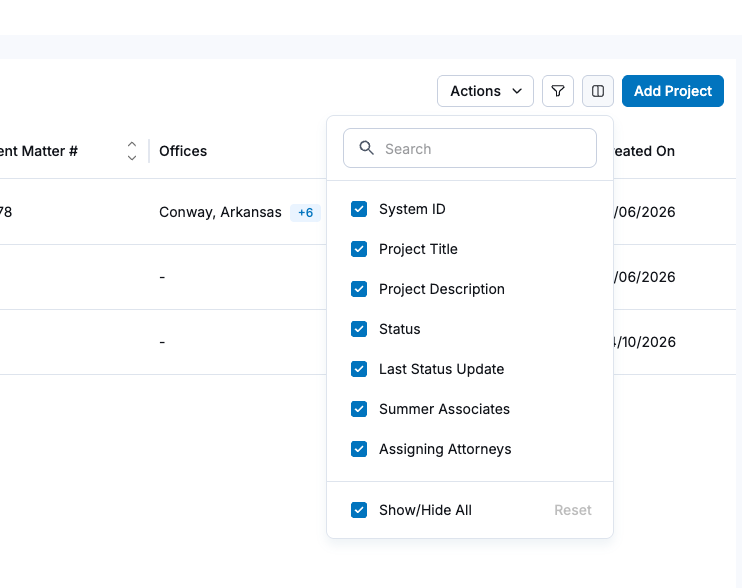
- **Show or hide columns.** Choose exactly which fields are visible. If a column isn't relevant to what you're doing right now, remove it from the view.
- **Drag-and-drop column ordering.** Arrange columns in the order that makes sense for your workflow. The table remembers the order you set.
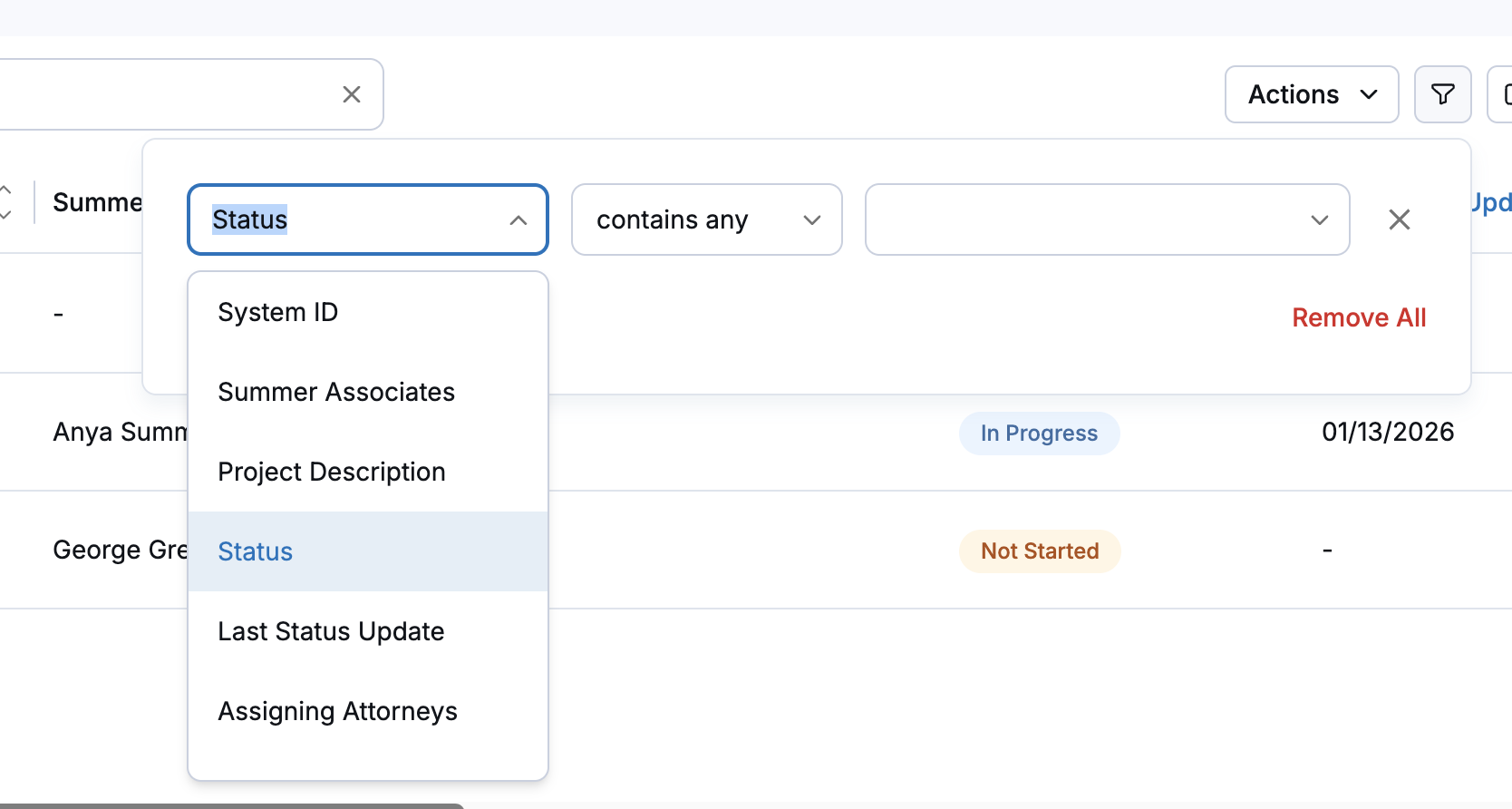
- **Filtering on multiple criteria.** Click the filter icon to filter by any available field. Stack multiple filters to get very specifically targeted results, narrowing from a broad program view down to exactly the subset you need.
- **Selective row export.** Select the rows you want, then use Actions and Export Table to download a CSV containing only the ordered, filtered data you've configured. No more exporting everything and trimming it down.
## ****
## **Why it matters**
Work Allocation data is most useful when you can get to the right slice of it quickly. A table that shows everything all the time, with no way to filter or reorder, pushes the real work into spreadsheets. That's work that belongs in the system.
For recruiting and professional development teams running associate programs, this means being able to answer specific questions (who is allocated to which group, across which office, within which date range) without leaving Flo to do the analysis. The export that comes out is clean and targeted, not a raw dump that needs post-processing.
This also reflects something we hear broadly: the teams managing Work Allocation are doing detailed, high-stakes work. They need tools that match that level of precision.
This is a meaningful step up for Work Allocation, but the right table setup is personal: what works for one team won't necessarily work for another. If something feels clunky, if there's data you're pulling out manually, or if there's something that would make this view the place you actually do the work instead of just checking it, we want to hear it. We always appreciate your feedback.
If you're a Flo client and want to dig in, or you're new to Flo and curious how it works, [book a demo](https://www.joinflo.com/request-demo) and we'll walk you through it.

### Katherine Allen
Katherine Allen is the Co-Founder and CEO of Flo. Katherine is passionate about building solutions for the legal industry in collaboration with Flo’s clients, proudly partnering with 200+ law firm and law school CSOs across the U.S. and serving 10,000+ law students on Flo Recruit Forward.
[.png?width=80&height=51&name=Vector%20(1).png "Vector (1)")](http://joinflo.com)
Flo connects law firms, attorneys, agencies, and law schools — with software solutions for recruiting and performance management.
###### SOLUTIONS
- [For Law Firms](https://www.joinflo.com/solutions/law-firms)
- [For Law Schools](https://www.joinflo.com/solutions/law-schools)
- [For Students & Attorneys](https://www.joinflo.com/solutions/students-and-attorneys)
- [For Search Firms](https://www.joinflo.com/solutions/search-firms)
###### RESOURCES
- [Market Insights](https://www.joinflo.com/resources/market-insights)
- [Legal Recruiting Tracker](https://www.joinflo.com/resources/legal-recruiting-tracker)
- [Webinars & Events](https://www.joinflo.com/resources/webinars-events)
- [Case Studies](https://www.joinflo.com/resources/case-studies)
###### COMPANY
- [About](https://www.joinflo.com/company/about-flo)
- [Careers](https://www.joinflo.com/company/careers)
- [Request Demo](https://www.joinflo.com/request-demo)
- [Contact Us](https://www.joinflo.com/company/contact-us)
- [Developer Docs ↗](https://docs.joinflo.com/)
- [Help Center ↗](https://help.florecruit.com/en/)
```json
{
"@context" : "https://schema.org",
"@type" : "BlogPosting",
"author" : {
"@type" : "Person",
"name" : "Katherine Allen",
"url" : "https://insights.joinflo.com/product-updates/author/katherine-allen"
},
"dateModified" : "2026-08-11T18:12:17.689Z",
"datePublished" : "2026-05-20T20:48:22.000Z",
"headline" : "Work Allocation Tables Are Now Filterable, Sortable, and Configurable",
"image" : [ "https://insights.joinflo.com/hubfs/alloc-banner-rounded.png" ],
"mainEntityOfPage" : {
"@id" : "https://insights.joinflo.com/product-updates/work-allocation-tables-are-now-filterable-sortable-and-configurable",
"@type" : "WebPage"
},
"publisher" : {
"@type" : "Organization",
"logo" : {
"@type" : "ImageObject",
"url" : "https://insights.joinflo.com/hubfs/Frame%201%20(5).png"
},
"name" : "Flo"
}
}
```