.png?width=65&height=65&name=Frame%201%20(5).png "Flo logo")

- Performance Management
- 3 mins
Keeping an accurate picture of where every attorney stands in your firm's internal hierarchy is harder than it should be, especially when the field meant to capture that is just an open text box. Flo is the fastest shipping company in the legal talent industry, and this release is a good example of why: a problem that quietly degrades data quality over months gets turned into a structured, admin-controlled solution in a single sprint.
The problem
Most firms maintain an internal classification of attorneys that does not map cleanly to public job titles or graduation years. Lateral hires bring their own seniority context. Compensation bands, professional development tracks, and cohort groupings all require a layer of internal classification that lives in the hands of Professional Development and HR teams.
When that classification lives in a free-text field, the same level ends up entered a dozen different ways. "Senior Associate," "Sr. Associate," "Sr Associate," and "senior associate" all mean the same thing, but they do not behave the same way in filters, reports, or review cycle logic. The more people who touch the field, the more the data drifts. And once the data has drifted, correcting it is a manual, error-prone project.
What we shipped
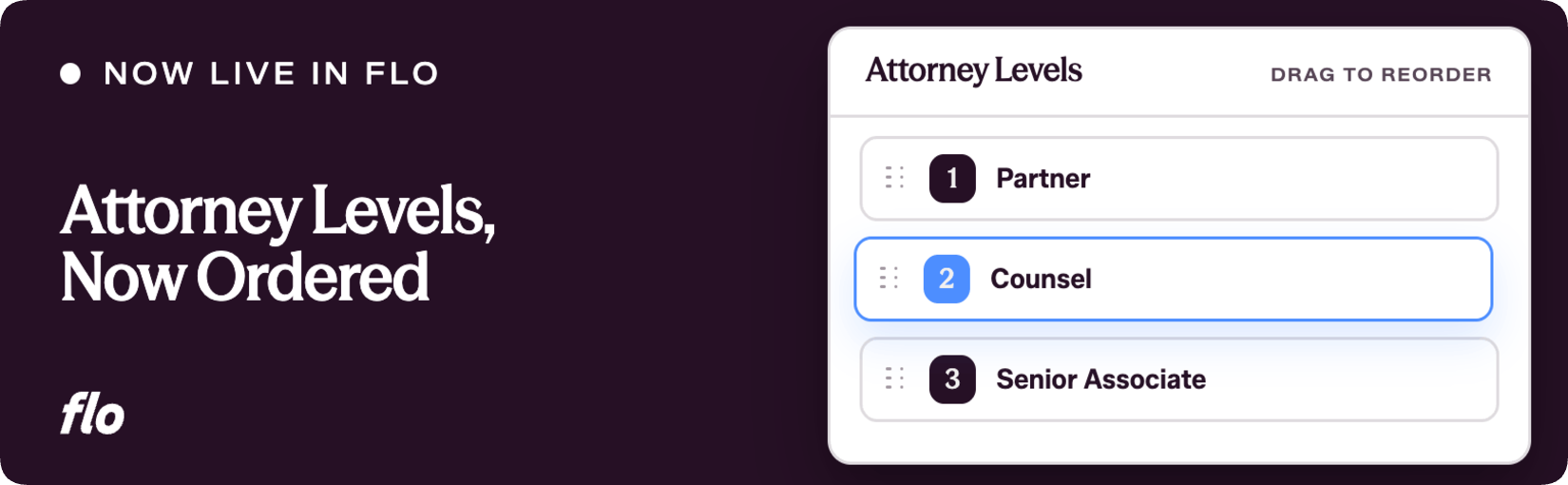
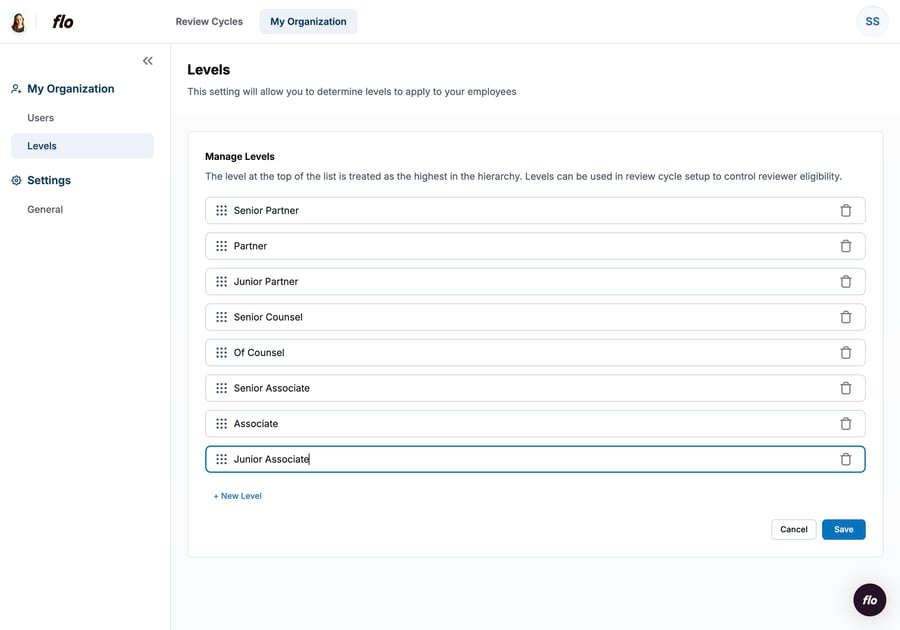
The Levels field is now a managed, ordered dropdown list instead of a free-text input. Professional Development and HR teams configure their firm's seniority hierarchy once, in a dedicated Settings page under My Organization, and that list becomes the single source of truth across every review cycle.
From the Settings page, admins can:
- Add new levels
- Rename existing levels in place
- Reorder levels via drag and drop, with the top of the list treated as the most senior position
- Delete levels that are no longer needed
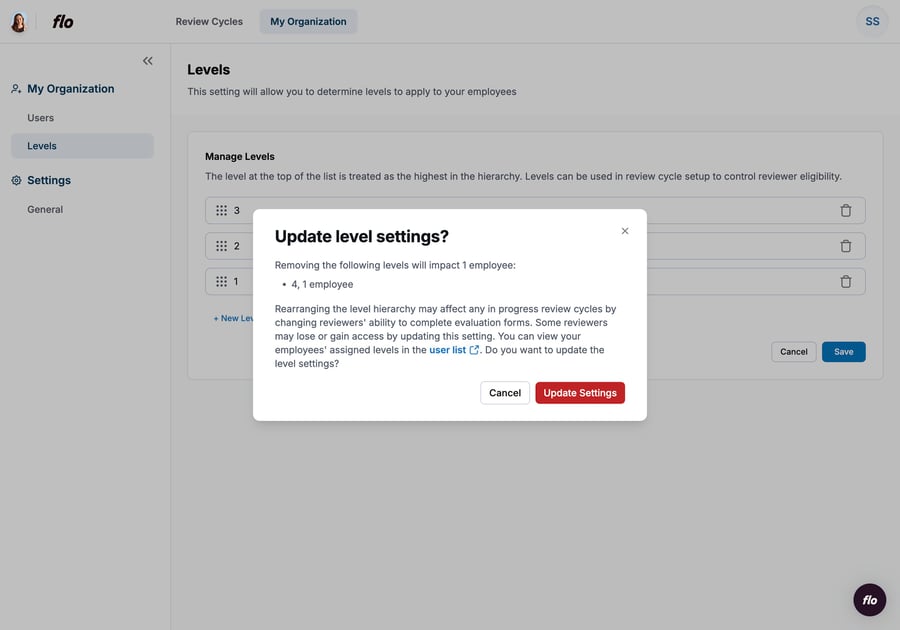
Deleting a level is not a silent action. A confirmation modal shows exactly how many attorneys are currently assigned to that level, warns that deletion will clear those users' Level field, and links directly to the User List so admins can reassign before confirming.
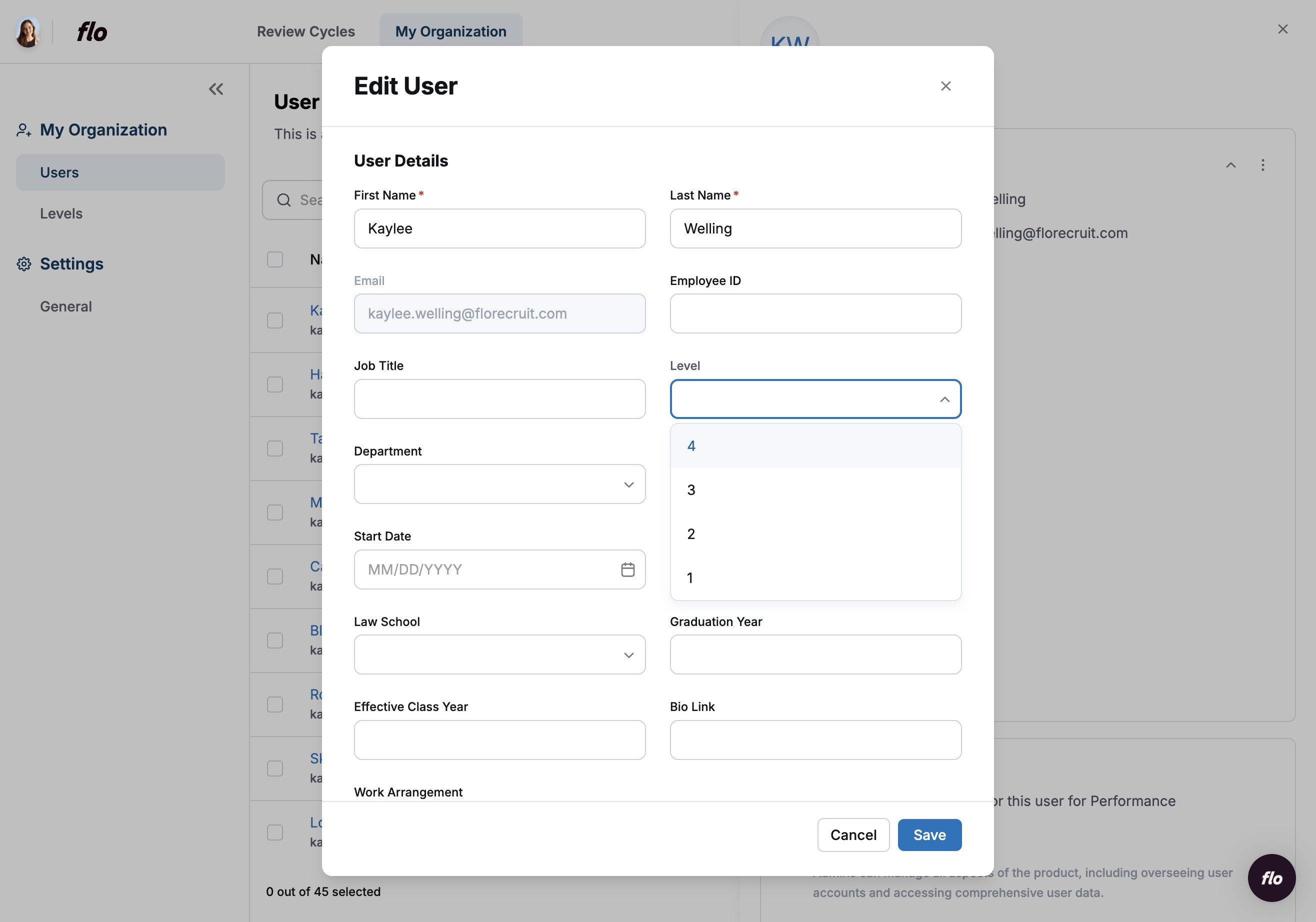
On the User List, attorneys are assigned a level by selecting from the dropdown rather than typing freehand. The list is admin-controlled and not visible to attorneys themselves.
Why it matters
Consistent level data is foundational to everything else. Cohort reporting only works if the cohorts are defined cleanly. Reviewer eligibility rules (coming in the next few weeks) will let admins specify who can review whom based on seniority, and that logic depends entirely on levels being structured and reliable.
Beyond what's coming next, the immediate benefit is simpler: filters work, exports are clean, and the firm's internal hierarchy is defined once instead of being reconstructed by whoever is setting up each review cycle. That is time back for PD and HR teams, and fewer corrections to chase down mid-cycle.
A few things worth knowing upfront: levels are configured at the organization level, so every cycle in the firm references the same list. They are manually maintained for now, with no automatic HRIS sync or class-year mapping. And deleting a level is permanent for affected users' data, so the guidance is to reassign before confirming.
This is the kind of structural change that pays off quietly, in cleaner reports, faster cycle setup, and fewer one-off corrections. If your firm's level naming has gotten messy over time, now is a good moment to clean it up. And if the deletion flow or the hierarchy ordering raises questions for your specific setup, keep pushing back on it. That feedback is exactly what shapes what we build next.
If you're a Flo client and want to dig in, or you're new to Flo and curious how it works, book a demo and we'll walk you through it.