.png?width=65&height=65&name=Frame%201%20(5).png "Flo logo")

- Performance Management
- 4 mins
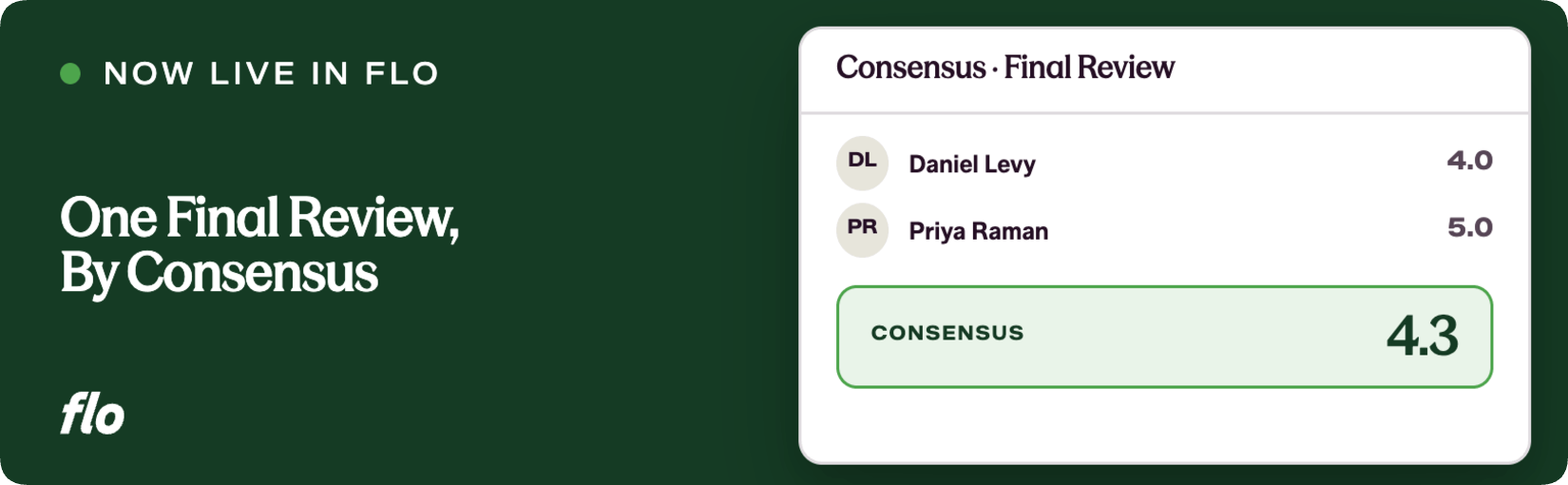
A structured, configurable stage that brings all peer and self evaluations together so designated reviewers can write a single, authoritative summary.
End-of-cycle calibration has always been one of the messiest parts of a performance review process, and it is one of the things we kept hearing about from recruiting and talent teams at law firms. Flo is the fastest shipping company in the legal talent industry, and this release is a good example of why: the Consensus Review Stage goes from a recognized pain point to a fully configurable, end-to-end feature in a single release.
The problem
Before this, partners, practice group leaders, and other designated reviewers had no structured place to do their calibration work. They were piecing together feedback from multiple evaluations on their own, often pulling from different sources, trying to hold competing inputs in their heads while writing a final summary. There was no guarantee that the process looked consistent across reviewees, and there was no controlled way to decide what information a calibration reviewer should or should not see before writing.
We kept hearing that this step, writing the final performance narrative, was happening almost entirely outside the system. That is the problem this feature solves.
What we shipped
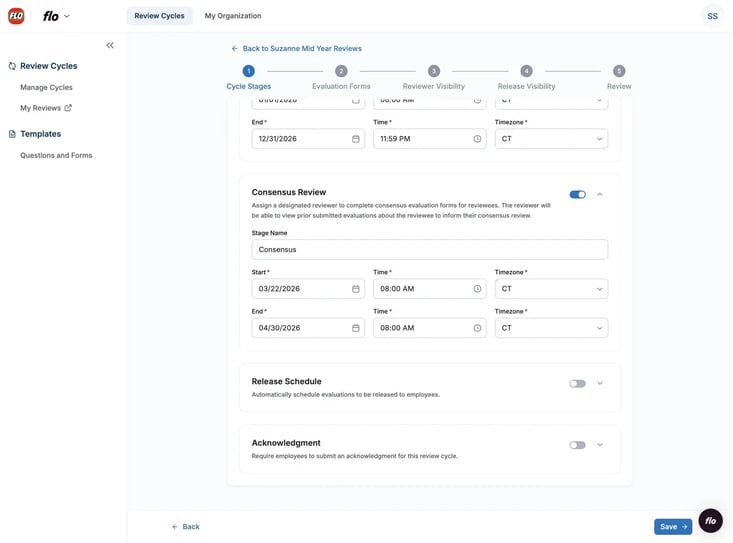
The Consensus Review Stage is a new, fully configurable stage that admins can add to any review cycle. Here is how it works end to end.
For admins: Setup follows the same pattern as other stages. Admins set a stage name, start and end dates, and assign an evaluation form specifically for the consensus stage. From there, they configure Reviewer Visibility: which forms and questions from prior evaluations the consensus reviewer can see while completing their form. Rating questions and questions marked sensitive are disabled by default and must be explicitly enabled. Admins also configure Release Visibility, controlling which questions from the consensus form are visible to reviewees once the review is released. Assignment is handled from the Reviewer Table: select one or more consensus reviewers, then use the Actions menu to assign their reviewees.
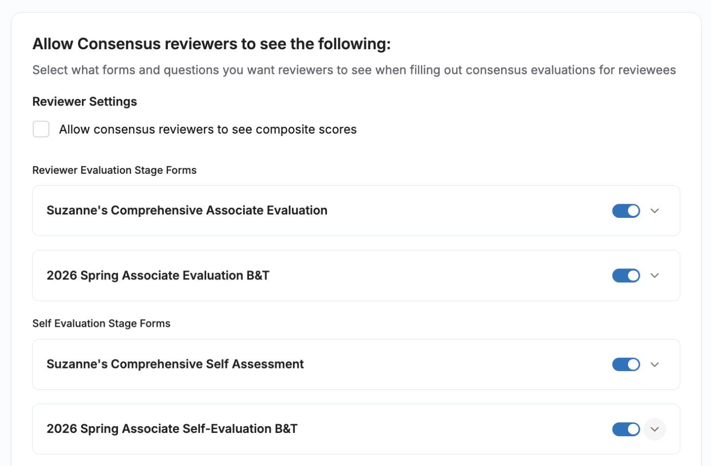
For consensus reviewers: When they have at least one consensus form to complete, a task card appears in the Tasks tab of their review cycle. Clicking into a reviewee opens a slideout showing all the prior evaluation forms that the admin made visible, so the reviewer can read everything side by side while completing the consensus form.
For reviewees: Once an admin releases a consensus review, reviewees see it in the Evaluations Received tab of their review cycle, alongside any other released evaluations. Admins choose whether the consensus reviewer's name is attributed or appears as anonymous.
Why it matters
Calibration and final narrative writing now happen inside the system, not in email threads or offline documents. Every reviewee in a cycle gets a consensus review that was written using the same configured form, which means the output is consistent and auditable across the full cycle.
For practice group leaders and partners doing the calibration work, having all prior evaluations visible in a single slideout while they write removes the most frustrating part of the job: the hunting. They can focus on the actual thinking rather than the logistics of gathering information.
For admins, the visibility controls mean that sensitive data and ratings are never inadvertently surfaced to consensus reviewers unless that is an explicit, deliberate choice. The assignment workflow is fast, and completion status is visible in both the admin table and reviewer slideouts, so nothing falls through the cracks at the end of a cycle.
The Consensus Review Stage is the piece that closes the loop on a full review cycle, and we built it to be configurable enough to match the way your firm actually runs calibration. Composite scores will be added to this stage in the next release. In the meantime, keep telling us where the friction is. The closer your feedback is to a specific workflow problem, the faster we can close the gap.
If you're a Flo client and want to dig in, or you're new to Flo and curious how it works, book a demo and we'll walk you through it.
`